

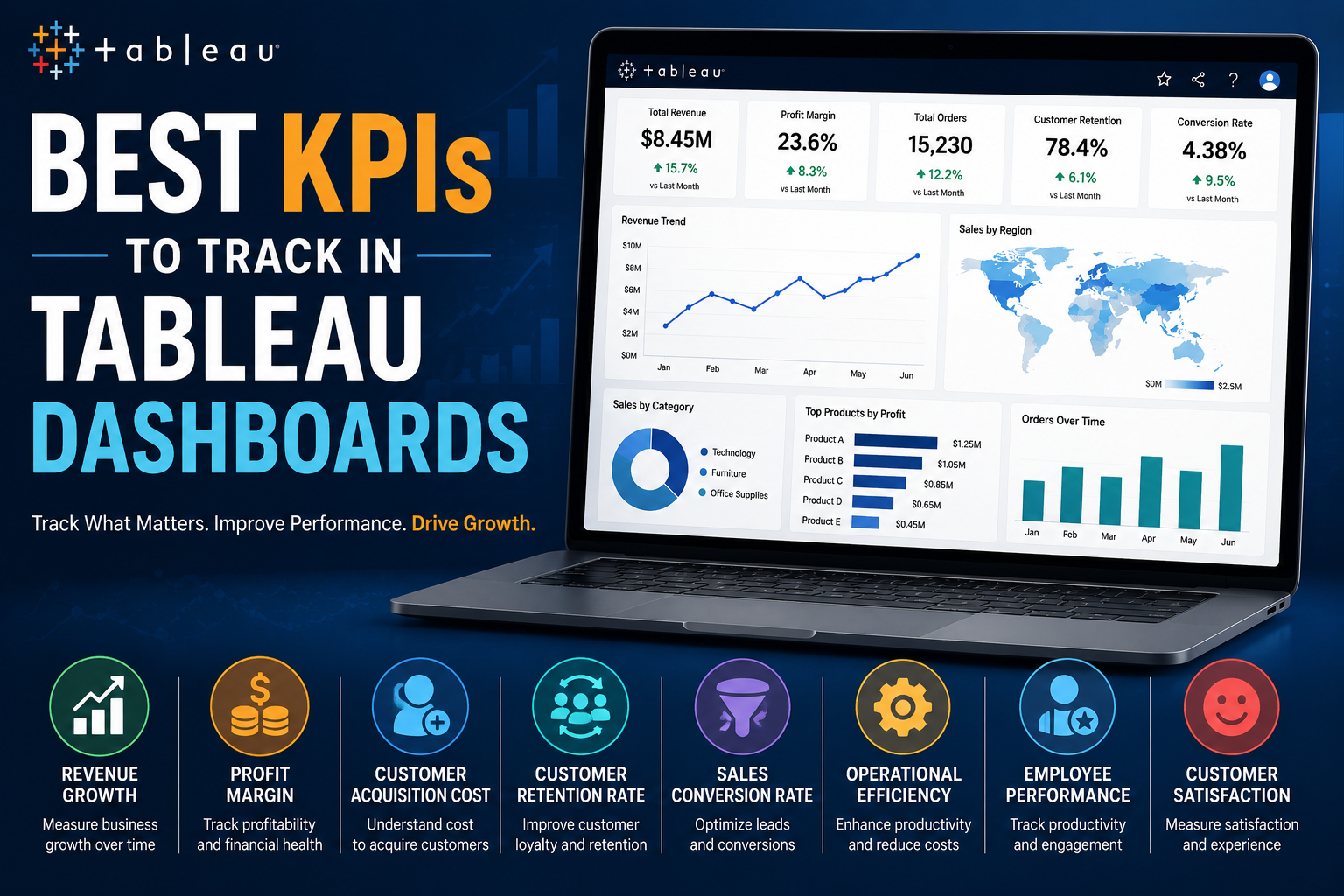
In today’s highly competitive business landscape, organizations rely heavily on data to improve decision-making, optimize operations, and achieve sustainable growth. However, collecting data alone is not enough. Businesses need the right Key Performance Indicators (KPIs) to measure performance effectively and identify areas that require attention.
This is where Tableau plays a crucial role. Tableau dashboards help businesses visualize KPIs in real time, enabling leaders to monitor performance, identify trends, and make data-driven decisions faster.
But one of the biggest challenges organizations face is deciding which KPIs actually matter. Tracking too many metrics can create confusion, while tracking the wrong KPIs can lead to poor strategic decisions.
In this blog, we’ll explore the best KPIs to track in Tableau dashboards across different business functions and explain how these metrics can help organizations improve efficiency, profitability, and growth.
Why KPIs Matter in Tableau Dashboards
KPIs are measurable values that indicate how effectively a business is achieving its objectives. When integrated into Tableau dashboards, KPIs become far more powerful because they can be monitored visually and updated in real time.
Effective KPI dashboards help businesses:
- Monitor organizational performance
- Improve operational visibility
- Detect issues early
- Measure progress toward goals
- Improve accountability
- Support strategic planning
Instead of manually analyzing spreadsheets, teams can instantly understand performance through interactive dashboards and visual analytics.
1. Revenue Growth KPI
Revenue growth is one of the most important KPIs for almost every business. It measures how quickly a company’s income is increasing over time.
Why It Matters
Tracking revenue growth helps businesses:
- Measure business expansion
- Evaluate sales strategies
- Forecast future performance
- Identify seasonal trends
Best Tableau Visualizations
- Line charts
- Area charts
- Trend analysis dashboards
Businesses often combine revenue KPIs with region-wise and product-wise performance dashboards for deeper analysis.
2. Profit Margin KPI
Revenue alone does not indicate business success. Profitability is equally important. Profit margin measures how much profit a business earns after deducting expenses.
Types of Profit KPIs
- Gross profit margin
- Net profit margin
- Operating profit margin
Why It Matters
Monitoring profit margins helps organizations:
- Control costs
- Improve pricing strategies
- Optimize operational efficiency
Tableau dashboards can display profit trends across products, departments, or geographical regions.
3. Customer Acquisition Cost (CAC)
Customer Acquisition Cost measures how much a business spends to acquire a new customer.
Formula
Why It Matters
This KPI helps businesses:
- Evaluate marketing effectiveness
- Optimize advertising budgets
- Improve ROI
In Tableau, businesses can compare acquisition costs across channels like:
- Social media
- Paid advertising
- Email campaigns
- Organic search
4. Customer Retention Rate
Acquiring customers is important, but retaining them is even more valuable. Customer retention rate measures how effectively a business keeps its customers over time.
Why It Matters
High retention rates usually indicate:
- Strong customer satisfaction
- Better product/service quality
- Long-term business stability
Tableau Dashboard Benefits
Businesses can analyze:
- Repeat purchases
- Customer churn trends
- Loyalty program performance
Interactive retention dashboards help identify which customer segments require attention.
5. Sales Conversion Rate
Sales conversion rate measures how many leads successfully become customers.
Why It Matters
This KPI helps businesses:
- Evaluate sales efficiency
- Improve lead management
- Identify sales bottlenecks
Best Visualizations
- Funnel charts
- Conversion trend graphs
- Sales pipeline dashboards
Organizations often use Tableau dashboards to monitor conversion performance by:
- Sales teams
- Regions
- Campaigns
- Products
6. Operational Efficiency KPI
Operational efficiency measures how effectively a company uses resources to generate output.
Common Operational KPIs
- Production efficiency
- Cost per transaction
- Delivery timelines
- Resource utilization
Why It Matters
Tracking operational KPIs helps businesses:
- Reduce waste
- Improve productivity
- Streamline workflows
Tableau’s real-time analytics capabilities make operational monitoring highly effective.
7. Employee Performance KPI
Human resources and workforce productivity are critical to organizational success.
Common HR KPIs
- Employee productivity
- Employee turnover rate
- Attendance rate
- Training completion rate
Why It Matters
Businesses can use Tableau dashboards to:
- Monitor workforce performance
- Improve employee engagement
- Identify retention risks
HR analytics dashboards provide leadership with actionable workforce insights.
8. Inventory Turnover KPI
Inventory turnover measures how quickly inventory is sold and replaced over a period.
Why It Matters
This KPI is essential for:
- Retail businesses
- Manufacturing companies
- Supply chain operations
A low inventory turnover rate may indicate:
- Overstocking
- Poor demand forecasting
- Inefficient inventory management
Tableau Benefits
Businesses can track product demand, inventory aging, and warehouse performance through dynamic inventory dashboards.
9. Website Traffic and Engagement KPIs
For digital businesses, website performance KPIs are essential for measuring online visibility and customer engagement.
Important Website KPIs
- Total website visitors
- Bounce rate
- Session duration
- Traffic sources
- Conversion rates
Why It Matters
These metrics help businesses:
- Improve digital marketing strategies
- Enhance user experience
- Increase online conversions
By integrating tools like Google Analytics with Tableau, organizations can create comprehensive digital performance dashboards.
10. Customer Satisfaction Score (CSAT)
Customer satisfaction is one of the most important indicators of long-term business success.
Why It Matters
High customer satisfaction often leads to:
- Better retention
- Increased referrals
- Stronger brand reputation
Tableau Dashboard Use Cases
Businesses can visualize survey results, customer feedback trends, and support ticket resolution rates to continuously improve the customer experience.
11. Net Promoter Score (NPS)
Net Promoter Score measures customer loyalty and willingness to recommend a business to others.
Why It Matters
NPS is widely used to:
- Measure brand perception
- Evaluate customer loyalty
- Identify promoters and detractors
Interactive Tableau Dashboards
Interactive Tableau dashboards allow organizations to analyze NPS by customer segment, geography, and product category.
12. Financial Performance KPIs
Finance teams heavily rely on Tableau dashboards to monitor organizational health.
Common Financial KPIs
- Cash flow
- Accounts receivable
- Budget variance
- Expense tracking
- ROI
Why It Matters
Financial dashboards provide executives with real-time visibility into company performance and financial risks.
How Tableau Improves KPI Tracking
What makes Tableau highly effective for KPI monitoring is its ability to transform static data into interactive visual intelligence.
Businesses can:
- Monitor KPIs in real time
- Customize dashboards for departments
- Set alerts and thresholds
- Perform drill-down analysis
- Compare historical performance
- Share reports securely
Tableau’s interactive capabilities help organizations move from reactive reporting to proactive decision-making.
Best Practices for Building KPI Dashboards in Tableau
- Focus on Relevant KPIs: Avoid cluttering dashboards with too many metrics. Focus only on KPIs aligned with business goals.
- Use Clear Visualizations: Choose charts and graphs that make insights easy to understand.
- Enable Interactivity: Allow users to filter, drill down, and explore data dynamically.
- Maintain Real-Time Data: Use live data connections whenever possible for accurate reporting.
- Optimize Dashboard Performance: Large datasets and excessive visuals can slow down dashboards. Keep dashboards clean and efficient.
Why KPIs are the Foundation in BI
KPIs are the foundation of effective business intelligence, and Tableau provides one of the most powerful platforms for monitoring them visually and interactively.
From financial metrics and sales performance to customer retention and operational efficiency, the right KPIs can help organizations improve decision-making, optimize performance, and achieve long-term growth.
However, successful KPI tracking is not just about collecting numbers. Businesses must identify the most meaningful metrics, visualize them effectively, and use those insights strategically.
By leveraging Tableau dashboards correctly, organizations can build a truly data-driven culture that supports smarter decisions and better business outcomes.