
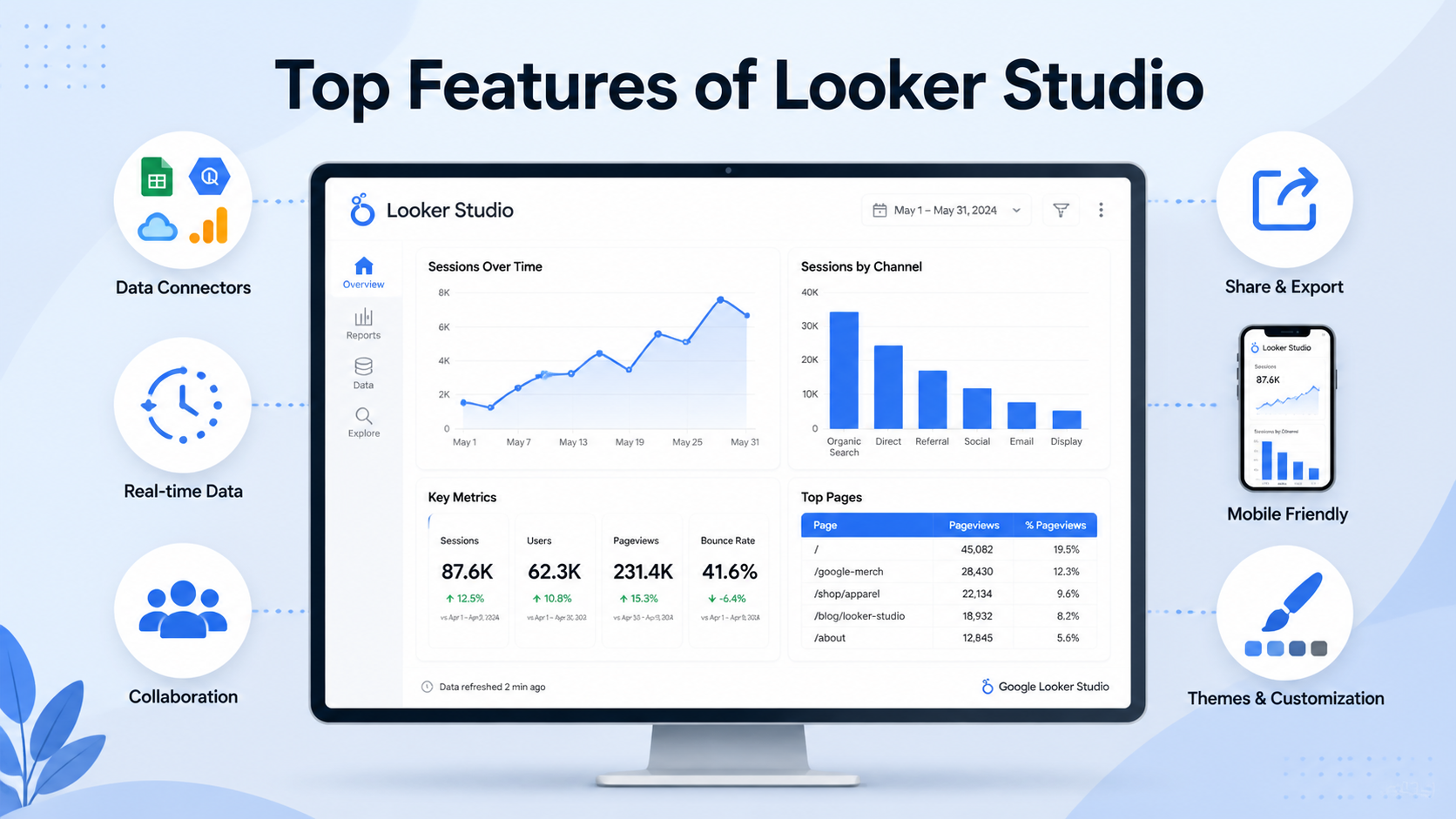
Modern businesses generate massive amounts of data every day from websites, marketing campaigns, CRM systems, ecommerce platforms, cloud applications, and operational systems. However, collecting data alone is not enough. Organizations also need powerful visualization and reporting tools that can transform raw information into actionable insights.
This is where Looker Studio has become one of the most popular business intelligence and dashboard reporting platforms for organizations of all sizes.
Previously known as Google Data Studio, Looker Studio provides businesses with interactive dashboards, real-time analytics, customizable reports, and cloud-based data visualization capabilities. Its user-friendly interface, strong integration ecosystem, and scalability make it highly valuable for marketers, analysts, executives, and business intelligence teams.
At KnexBI, businesses increasingly adopt Looker Studio to centralize reporting, automate analytics workflows, and improve data-driven decision-making.
In this blog, we’ll explore the top features of Looker Studio that make it one of the most powerful reporting and dashboard platforms in 2026.
1. Interactive Dashboard Creation
One of the biggest strengths of Looker Studio is its ability to create highly interactive dashboards. Users can build dynamic reports with filters, date controls, drill-down capabilities, interactive charts, and dynamic scorecards. Interactive dashboards allow users to explore data in real time instead of relying on static reports.
Benefits
- Better user engagement
- Faster data analysis
- Improved reporting flexibility
- Enhanced decision-making
Interactive reporting is especially valuable for marketing analytics, operational monitoring, and executive reporting.
2. Seamless Integration with Google Ecosystem
Looker Studio integrates naturally with Google platforms, making it highly efficient for businesses already using Google products.
Native Integrations Include:
- Google Analytics 4
- Google Ads
- Google Search Console
- Google Sheets
- BigQuery
- YouTube Analytics
This allows businesses to centralize marketing, analytics, SEO, and operational data into one reporting environment.
3. Real-Time Reporting Capabilities
Modern businesses require instant access to data for faster decision-making. Looker Studio supports near real-time reporting by connecting directly to live data sources.
Real-Time Reporting Benefits
- Monitor campaign performance instantly
- Track live website traffic
- Analyze operational KPIs
- Detect performance issues quickly
This is especially useful for marketing teams, ecommerce businesses, sales departments, and operations teams. Real-time dashboards improve business agility significantly.
4. Drag-and-Drop Dashboard Builder
Looker Studio offers a highly user-friendly drag-and-drop interface that simplifies dashboard creation. Users can easily add charts, insert tables, create scorecards, apply filters, and customize layouts without requiring advanced coding or technical expertise.
This accessibility makes Looker Studio ideal for small businesses, marketing professionals, analysts, and non-technical users. The intuitive interface reduces dashboard development time considerably.
5. Extensive Visualization Options
Effective reporting depends heavily on visualization quality. Looker Studio provides multiple visualization formats including line charts, bar charts, pie charts, geo maps, tables, heatmaps, time series graphs, and KPI scorecards. Businesses can select the most appropriate chart type for different reporting needs.
Why Visualization Matters
Good visualizations help users understand trends faster, identify anomalies, compare performance, and simplify complex datasets. Strong data visualization improves analytics efficiency significantly.
6. Customizable Dashboard Design
Looker Studio allows extensive dashboard customization. Users can modify fonts, colors, themes, layouts, branding elements, and visual structures. This helps organizations create professional dashboards aligned with brand identity and reporting standards.
Custom branding is especially useful for agencies, client reporting, executive presentations, and enterprise analytics.
7. Multi-Source Data Blending
Businesses often store data across multiple platforms. Looker Studio allows users to blend data from different sources into a single dashboard.
Common Blended Sources
- GA4 + Google Ads
- CRM + Sales platforms
- Ecommerce + Marketing data
- SEO + PPC analytics
Benefits
- Unified analytics
- Better cross-channel insights
- Improved reporting accuracy
- Faster decision-making
8. Cloud-Based Accessibility
As a cloud-based platform, Looker Studio provides accessibility from anywhere. Users can access dashboards remotely, collaborate in real time, share reports instantly, and manage dashboards online.
This is highly beneficial for remote teams, global organizations, agencies, and distributed workforces. Cloud accessibility improves collaboration and operational flexibility.
9. Automated Reporting and Sharing
Manual reporting consumes significant time and resources. Looker Studio simplifies reporting through automation features.
Automation Capabilities
- Scheduled email reports
- Automated dashboard updates
- Shared live dashboards
- Embedded analytics
Automated reporting reduces repetitive tasks and improves operational efficiency.
10. Advanced Data Filtering
Filters enhance dashboard interactivity and personalization. Looker Studio supports date filters, dropdown filters, search controls, multi-select filters, and dynamic filtering. Users can customize reports according to their specific analytical needs. Proper filter implementation improves usability without overwhelming users.
11. Mobile-Friendly Dashboards
Modern businesses increasingly rely on mobile accessibility. Looker Studio dashboards are responsive and mobile-compatible, enabling users to monitor KPIs from smartphones and tablets.
Mobile Dashboard Benefits
- Faster access to insights
- Improved executive accessibility
- Better field reporting
- Real-time mobile analytics
Mobile-friendly dashboards improve reporting flexibility significantly.
12. Integration with BigQuery for Large Datasets
For enterprise-scale analytics, BigQuery integration is one of Looker Studio’s most powerful capabilities. Businesses handling large datasets benefit from faster query performance, scalable analytics, cloud data warehousing, and advanced SQL capabilities. BigQuery integration enables enterprise-grade analytics environments.
13. Collaboration and Team Sharing
Looker Studio supports collaborative analytics workflows. Teams can share dashboards, edit reports collaboratively, control permissions, and manage user access. This improves communication between marketing teams, analysts, executives, and operations departments. Collaborative reporting increases organizational efficiency.
14. Cost-Effective Business Intelligence Solution
Compared to many enterprise BI platforms, Looker Studio offers strong functionality with lower costs. This makes it highly attractive for startups, small businesses, mid-sized organizations, and agencies. Businesses can create advanced reporting systems without investing heavily in expensive enterprise software.
15. AI and Advanced Analytics Integration
AI-powered analytics is rapidly transforming reporting systems. Looker Studio increasingly supports integrations with machine learning platforms, predictive analytics tools, AI-powered insights, and cloud AI services. This enables organizations to build predictive dashboards, automated insights, and intelligent reporting workflows. AI integration is shaping the future of business intelligence.
Common Use Cases of Looker Studio
Looker Studio’s flexibility supports multiple business functions across key departments:
- Marketing Analytics Dashboards: Track campaign performance, traffic, conversions, and ROI.
- SEO Reporting: Monitor organic traffic, keyword performance, and search visibility.
- Ecommerce Dashboards: Analyze revenue, product performance, and customer behavior.
- Executive Dashboards: Provide strategic KPI overviews for leadership teams.
- Operational Analytics: Track workflows, productivity, and operational efficiency.
How KnexBI Helps Businesses Implement Looker Studio
At KnexBI, organizations build scalable Looker Studio solutions for marketing analytics, SEO dashboards, ecommerce reporting, executive KPI tracking, and real-time business intelligence.
KnexBI helps businesses optimize dashboard performance, integrate multiple data sources, automate reporting workflows, improve dashboard design, and create scalable analytics ecosystems. This enables organizations to maximize the value of business intelligence and reporting systems.
Future of Looker Studio
Business intelligence continues evolving rapidly with AI, automation, and cloud analytics. Future Looker Studio capabilities may include AI-generated dashboards, predictive analytics, conversational reporting, automated insights, and intelligent anomaly detection. As organizations increasingly rely on real-time data intelligence, Looker Studio will continue playing a critical role in modern analytics environments.
Business Intelligence Platforms
Looker Studio has become one of the most powerful and accessible business intelligence platforms for modern organizations. Its top features such as interactive dashboards, real-time analytics, multi-source integration, cloud accessibility, automated reporting, and advanced visualizations make it highly valuable for businesses seeking scalable reporting solutions.
Whether you are a startup, marketing agency, ecommerce company, or enterprise organization, Looker Studio provides the flexibility and functionality needed to transform raw data into actionable insights.
As business intelligence continues evolving in 2026 and beyond, organizations that effectively leverage Looker Studio will be better positioned to improve decision-making, optimize operations, and drive long-term business growth.






